
Google Home
Google LLC
About This App
Category
Lifestyle
Installs
500,000,000+
Content Rating
Rated for 3+
Screenshots



Editor Reviews
Google Home is Google's smart home control app, and it's basically the remote control for my house. I use it to manage all my compatible lights, speakers, thermostats, and plugs from one place. The app first launched back in 2016 alongside the original Google Home speaker, and you can download it for free from both the Google Play Store and the Apple App Store. It has over a billion installs on Google Play alone, which shows how many people are using it. You don't need to pay anything to download and install the app, but you do need to sign in with a Google account to set everything up. While the app itself is free, you obviously need to buy the actual smart devices, like Nest thermostats or Philips Hue bulbs, to control them. I do see some ads in the app occasionally, usually promoting new Google devices or features.
Using the app is pretty straightforward. After you install it and log in, you add your devices by following the steps—it usually involves putting the device in pairing mode and letting the app find it. My main tip is to take your time naming each device and room clearly. Instead of just 'Bedroom Light', I named mine 'Bedroom Main Light' and 'Bedroom Lamp'. This makes voice commands through my Google Nest speaker much more accurate. I also set up 'routines' for things like 'Good Morning,' which turns on the lights, reads the news, and starts my coffee maker. The 'Activity' tab is useful for checking if something was accidentally left on.
Compared to other smart home apps like Amazon's Alexa app or Samsung SmartThings, I keep coming back to Google Home. The Alexa app feels a bit cluttered to me, and setting up routines there wasn't as intuitive. SmartThings is powerful but can be overwhelming for just controlling lights and speakers. I chose Google Home mainly because my phone is Android, so the integration feels seamless, and I already use other Google services. For someone deep in the Google ecosystem, this app just makes sense. It does the core job of controlling my home simply and reliably, which is what I need most days.
Features
- 🏠 Centralized Control Hub: The app's main job is to be a single dashboard for your entire smart home. Unlike some apps that only work with one brand, Google Home brings together devices from Nest, Philips Hue, LIFX, and many others. You don't need five different apps; you can control everything from here after a simple setup.
- 🗣️ Seamless Voice Integration: This is where it really shines compared to just using a manufacturer's app. Once your devices are added, you can control them hands-free with any Google Assistant speaker or display. Saying "Hey Google, turn off the living room lights" works instantly, which is way more convenient than opening an app on your phone.
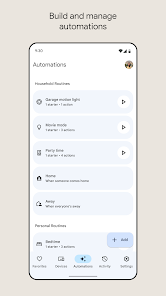
- ⏰ Smart Routines: The Routines feature lets you automate multiple actions with one command or on a schedule. My 'I'm Home' routine turns on the entryway lights, adjusts the thermostat, and plays my favorite playlist. It's more flexible and easier to set up than the basic automation I tried in other apps.
- 👁️ Live Camera Feed View: If you have compatible Nest or other cameras, you can pull up a live feed right in the app's home screen. It's super quick to check on things, which is a standout feature you don't always get in broader platforms like SmartThings without extra steps.
Disclaimer
1.ApexRaid does not represent any developer, nor is it the developer of any App or game.
2.ApexRaid provide custom reviews of Apps written by our own reviewers...