
Amazon Fire TV
Amazon Mobile LLC
About This App
Category
Productivity
Installs
10,000,000+
Content Rating
Rated for 3+
Screenshots


Editor Reviews
I've been using the Amazon Fire TV app for a while now, and it's become my go-to for managing my living room entertainment. Basically, it turns your phone into a super-powered remote for your Fire TV device. You can download it for free from the Google Play Store or the Amazon Appstore, and it's super easy to install. The app itself doesn't need a separate registration if you're already signed into your Amazon account on your Fire TV. It's got millions of installs, which isn't surprising since so many people have Fire Sticks and Fire TV cubes. While the core app is free, you'll obviously need subscriptions for services like Netflix or Prime Video to watch most content. I do see some ads within the app promoting Amazon's own shows or new features, but they're not too intrusive.
Using it is pretty straightforward. Once you install the app and connect it to your Fire TV on the same Wi-Fi, your phone screen mirrors the TV's home screen. You can browse through all your apps, search for movies by typing or using voice search, and even use your phone's keyboard to enter passwords, which is a huge time-saver. A neat tip I found is using the 'Play on Fire TV' feature from other apps like YouTube or Spotify; it instantly sends the video or music to your TV without you having to open the app on the Fire TV first. It's perfect for when you're already browsing on your phone and want to cast something big.
Compared to other remote apps, like the generic ones that try to control everything, this one is purpose-built. I tried a few universal remote apps before, but they were clunky and often had connection issues. The official Amazon Fire TV app just works seamlessly because it's designed specifically for the Fire TV ecosystem. It feels more responsive than using the physical remote sometimes, especially for typing. While Roku has its own mobile app too, I find the Fire TV app's layout and integration with Alexa voice search to be a bit smoother. For anyone with a Fire TV device, installing this companion app is a no-brainer; it genuinely enhances the experience.
Features
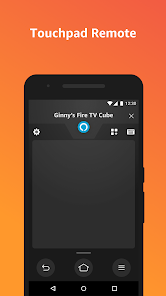
- 🎯 Full-Featured Remote: It replicates all the buttons of your physical remote—directional pad, home, back, menu, play/pause—but adds a touchpad for easier navigation. You'll never lose the remote again.
- 🎯 Voice Search & Keyboard: Tapping the mic icon lets you speak searches directly to Alexa, and the on-screen keyboard makes typing search terms or login details incredibly fast compared to pecking letters with a directional pad.
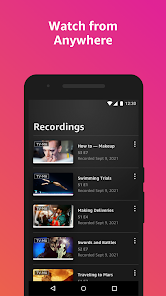
- 🎯 Content Discovery & Launch: The app shows your recent apps and a library of installed apps for quick launching. You can also browse Prime Video content directly within the app and send it to your TV with one tap.
- 🎯 Playback Controls & Queue: When something is playing, the app shows full playback controls, volume sliders, and even a view of what's next in your queue, giving you precise control from your phone.
Disclaimer
1.ApexRaid does not represent any developer, nor is it the developer of any App or game.
2.ApexRaid provide custom reviews of Apps written by our own reviewers...