

CapCut - Video Editor
Bytedance Pte. Ltd.
About This App
Category
Video Players & Editors
Installs
1B+
Content Rating
Teen
Screenshots

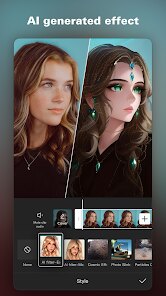
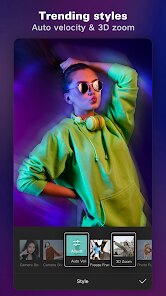

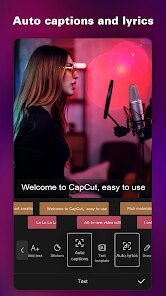

Editor Reviews
CapCut is a free video editing app from Bytedance, the company behind TikTok. It's designed to make editing videos easy and fun, whether you're just trimming clips for social media or putting together a more polished project. The app first launched globally in 2020 and is available for download on both the Google Play Store and the Apple App Store. It has seen hundreds of millions of installs, which shows how popular it's become. You can download and install the app for free, and you don't even need to create an account to start using most of its features, which is great for quick edits. While the core app is free, there are optional in-app purchases for some premium effects and assets. You might also see occasional ads, but they're usually not too intrusive.
Using CapCut is pretty straightforward. I often start by importing my clips, then I use the timeline to cut and arrange them. The auto-captions feature is a lifesaver for adding subtitles quickly. A good tip is to explore the 'Templates' section – you can find trendy edits there and just plug in your own videos, which saves a ton of time. For smoother transitions, I like to play with the keyframe animation tool; it has a bit of a learning curve but makes your videos look more professional.
Compared to other apps in the same genre, like InShot or KineMaster, I keep coming back to CapCut. The main reason is how seamlessly it integrates with TikTok trends. The effects and music library are always up-to-date with what's popular. While InShot is also user-friendly, I find CapCut's toolkit for advanced edits, like curve speed adjustments and better chroma key, is more powerful without being overwhelming. KineMaster is robust but feels clunkier to me, and the free version has a watermark. For a free app, CapCut delivers a lot of professional-grade features that are just easier to access.
Features
- 🎬 Trend-Driven Templates & Effects: One standout feature is its massive library of templates that mirror the latest viral trends on TikTok and other platforms. You don't need editing skills; just pick a template, add your clips, and the app does the rest. This is something similar apps like InShot don't update as rapidly or extensively.
- 🎵 Vast, Integrated Music Library: CapCut offers a huge collection of licensed music and sound effects directly within the app. It's incredibly convenient compared to downloading audio separately and risking copyright issues, a common hassle with many other free video editors.
- ✂️ Advanced Free Tools: For a free app, it includes surprisingly advanced features like keyframe animation, curve speed control for slow-mo, and a very good chroma key (green screen) tool. These are often behind paywalls in other apps in this genre.
- 🗣️ Superior Auto-Captions: The speech-to-text for captions is fast and accurate. You can easily edit the text and style the captions with animations, which is a huge time-saver over typing everything manually, as you often have to do in other editors.
Disclaimer
1.ApexRaid does not represent any developer, nor is it the developer of any App or game.
2.ApexRaid provide custom reviews of Apps written by our own reviewers...