

Learn to Draw Flower
Creative APPS
About This App
Category
Video Players & Editors
Installs
5M+
Content Rating
Rated for 3+
Screenshots
Editor Reviews
I've been using the Learn to Draw Flower app for a while now, and it's exactly what it sounds like—a drawing tutorial app focused on flowers. It's perfect for beginners who want to pick up a relaxing hobby or add some floral doodles to their journal. The app first launched a couple of years ago, and you can easily find it on the Google Play Store. It's completely free to download and install, which is a huge plus. I didn't need to register or create an account to start using it, which made getting into the tutorials super quick. While the core app is free, there are some optional in-app purchases if you want to unlock all the drawing lessons or remove the occasional ads that pop up. They're not too intrusive, though.
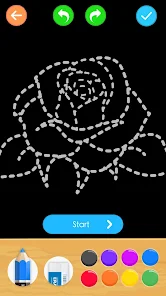
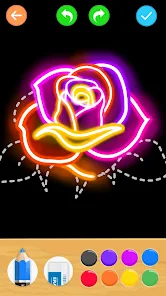
Using the app is straightforward. You pick a flower you want to learn, like a rose or a sunflower, and it guides you through each step with simple lines. I found it helpful to follow along with a stylus on my tablet, but using a finger works fine too. A good tip is to use the layer feature if your device supports it; you can trace over the guide lines without messing up your final drawing. I usually practice the same flower a few times until I feel confident drawing it from memory.
There are other drawing tutorial apps out there, like 'How to Draw - Easy Lessons' or 'SketchBook'. I tried a few, but I kept coming back to Learn to Draw Flower. The main reason is its specialization. Those other apps try to cover everything—animals, cars, people—so the flower section feels a bit shallow. This app dives deep into just flowers, offering way more variety and detailed steps for each bloom. For someone who specifically wanted to decorate notes with flowers, this focused approach made a lot more sense than sifting through a general app.
Features
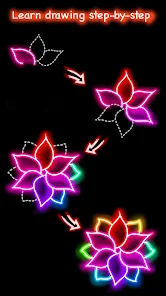
- 🌼 Step-by-Step Flower Library: Unlike general drawing apps, this one has a massive, dedicated library just for flowers. From simple daisies to complex orchids, each tutorial breaks the process into clear, manageable steps that are easy to follow.
- 📱 Optimized for Mobile Drawing: The app interface feels designed for phones and tablets on Google Play. The drawing canvas is responsive, and the controls for undoing or clearing your work are placed conveniently, making the install worth it for on-the-go practice.
- 🎨 Practice Mode & Layer Support: A standout feature is the practice mode where you can trace on a semi-transparent layer over the guide. This is fantastic for muscle memory and isn't always available in similar free apps you download.
Disclaimer
1.ApexRaid does not represent any developer, nor is it the developer of any App or game.
2.ApexRaid provide custom reviews of Apps written by our own reviewers...