Customuse: Skins Maker Roblox
Customuse


About This App
Category
Art & Design
Installs
5M+
Content Rating
Everyone
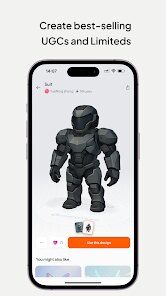
Screenshots




Editor Reviews
I've been using the Skins Maker Roblox app for a while now, and it's become my go-to tool for customizing my Roblox avatar. This app, as the name suggests, is all about creating and editing skins for the popular Roblox game. It launched a few years back and is available for download on the Google Play Store. The app has racked up millions of installs, which shows how popular it is within the community. You can download and install it for free, and you don't even need to register an account to start using most of its features right away. That's super convenient for jumping straight into creating. While the core app is free, there are some in-app purchases for premium items or to remove ads. You will see some ads, but they're usually not too intrusive.
Using the app is pretty straightforward. After you install it, you can browse through a massive library of user-created skins or start designing your own from scratch. I like to use it to tweak the colors and patterns on my avatar's clothing. A good tip is to save your favorite community creations so you can quickly load them later. The interface can feel a bit crowded at first, but you get used to it. It's perfect for killing time and coming up with a fresh look before hopping into a game.
Compared to other similar apps like 'Roblox Avatar Creator' or just using the official Roblox website, I keep coming back to Skins Maker. The main reason is the sheer volume of content. The community uploads new skins constantly, so there's always something new to try. Other apps might have a cleaner look, but they often have a smaller selection. For someone who likes to change their avatar frequently without spending Robux, this app is a lifesaver. It feels more like a creative workshop specifically for skins, while other tools can be more limited.
Features
- 🛠️ Vast Skin Library: The app's biggest feature is its enormous, ever-growing library of skins. You can find almost any style imaginable, from realistic outfits to completely fantastical creations, all uploaded by other users.
- 🎨 Intuitive Creator Tools: For making your own skins, the app provides a solid set of editing tools. You can paint directly on templates, adjust colors easily, and add decals, which is more focused than the broader studio tools in the official Roblox app.
- 📱 Mobile-First Design: Unlike some similar utilities that are desktop-only, this app is built for phones. You can download, install, and use it to create or apply skins anywhere, making avatar customization truly on-the-go.
Disclaimer
1.ApexRaid does not represent any developer, nor is it the developer of any App or game.
2.ApexRaid provide custom reviews of Apps written by our own reviewers...