

Crafty Craft: Mcpe mods maker
Bejan Alexandru
About This App
Category
Entertainment
Installs
10K+
Content Rating
Everyone
Screenshots


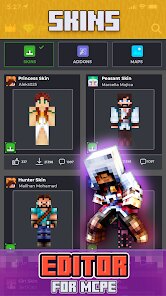


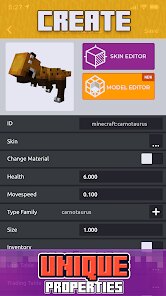
Editor Reviews
Crafty Craft is a mobile app designed specifically for Minecraft Pocket Edition (MCPE) players who want to customize their game experience. It's a tool that lets you create, manage, and install mods, add-ons, skins, and maps without needing complex software on a computer. The app first launched a few years back and has become a popular helper for the MCPE community. You can download it for free from the Google Play Store, and it has racked up millions of installs. While the core app is free to download and use, it does feature in-app advertisements. You don't necessarily need to register an account to browse and download a lot of the available content, which makes getting started super quick.
Using the app is pretty straightforward. After you install it, you're greeted with a library of user-created content sorted by categories like mods, skins, or maps. Finding and downloading a new skin for your character or a fun mod that adds new mobs takes just a few taps. A key tip is to always check the app's built-in instructions for each mod or add-on, as some might require specific activation steps within Minecraft itself. The app often provides a direct 'Import to Minecraft' button, which simplifies the process a lot compared to manually moving files.
When I look at other similar apps on Google Play, like 'Addons for Minecraft' or 'Mods for MCPE', I keep coming back to Crafty Craft. The main reason is its focus on creation, not just consumption. While other apps are great for downloading pre-made stuff, Crafty Craft gives you simple tools to start making your own skins or tweaking mods, which feels more rewarding. The interface is also less cluttered with aggressive ads than some alternatives, making the overall experience smoother for a regular user like me who just wants to spice up their blocky world without hassle.
Features
- 🛠️ Built-in Creator Tools: Unlike many similar apps that only offer downloads, Crafty Craft includes basic editors for skins and mods. This lets you personalize existing designs or try making something from scratch directly on your phone, a feature not commonly found in other MCPE helper apps.
- 📁 Integrated File Manager: The app has a simple file browser that shows you what you've downloaded and helps you import items directly into Minecraft PE. This removes the confusion of navigating phone folders manually, which can be a headache in other apps like 'MCPE Master'.
- 🔍 Curated & Verified Content: While the library is community-driven, there seems to be a better level of curation compared to some other platforms. You're less likely to find broken or malicious mods, which is a big plus when you're looking for a reliable download.
- 🔄 One-Click Import: For many mods and skins, a single tap on the 'Import' button handles the entire installation process. This seamless integration is more consistent here than in competitors like 'Addons for Minecraft', where the process can sometimes be hit or miss.
Disclaimer
1.ApexRaid does not represent any developer, nor is it the developer of any App or game.
2.ApexRaid provide custom reviews of Apps written by our own reviewers...